Troubleshooting
How to Reset a Viking Oven — and What a Reset Does Not Fix
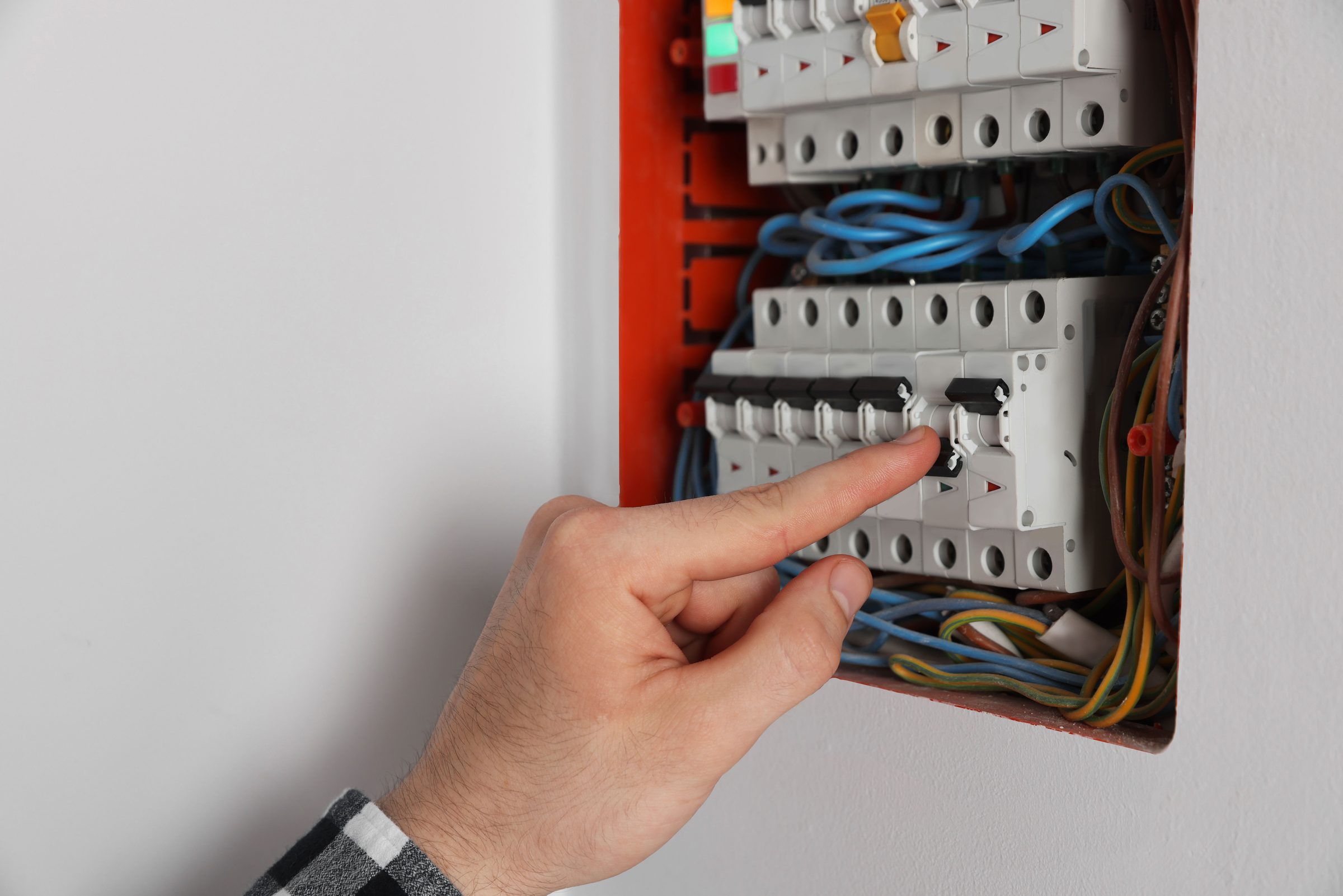
How to reset Viking oven controls: switch it off at the breaker, wait five full minutes, and switch it back on. That is the reset — the OFF key on the panel puts the appliance into standby and leaves the control powered, which is not the same thing. A condition that clears with a proper power cycle and stays clear was a supply interruption, and in a South Florida summer that accounts for a real share of them. A condition that returns is hardware, and the reset has told you something useful rather than fixed anything.
The full guide
How to reset Viking oven controls: the reset is the breaker
There is no reset button on these ovens, and the OFF key on the panel is not one. It puts the appliance into standby and leaves the control powered — which is exactly where a memory or software condition lives.
Breaker off. Five full minutes. Back on. That is the whole procedure and it is the most useful free diagnostic on this make.
What it tells you, which is more than what it fixes
It clears and stays clear. The condition was a supply interruption caught at the wrong moment. There is nothing to repair and nothing to book.
It clears and comes back. Hardware, and now the interval matters. Weekly and hourly point in different directions and both are worth reporting.
It does not clear at all. Hardware, and the reset has saved everybody a step.
This is the most seasonal thing in our archive. Between June and October this coast produces afternoon storms, brownouts and momentary interruptions as a matter of routine, and a control board caught mid-write during one produces exactly the conditions this page is about.
We would rather people ran this test before calling than after. It costs five minutes and it occasionally ends the conversation.
Before you cut the power
Photograph the display. On this make the message is a word rather than a number, and the word is the part: RTD ERROR is the oven sensor, LATCH ERROR is the door latch, PROBE ERROR is the meat probe, KEYBOARD ERROR is the connection to the touch panel. All of that is gone the moment the breaker moves.
What a reset cannot do
It cannot un-fail an element, unstick a latch, or make a drifted sensor read correctly. If the oven was cold before the reset it will be cold afterwards, and that is not a failed reset — it is information.
One condition genuinely deserves a mention here: MODEL ERROR. If it appears, the control has not been told which appliance it is driving. It is configuration rather than a broken part, and it almost always follows a board being replaced by somebody. Say so when you call — it is often the whole story.
What the display says, in words rather than numbers
Viking wall ovens report in plain English, which is unusual and useful — the message is most of the diagnosis rather than a lookup:
- RTD ERROR — the oven sensor, the thermometer the cavity cooks by. A reset clears the message and not the part.
- LATCH ERROR — the door latch, which matters most around a clean cycle.
- PROBE ERROR — an accessory. Unplug the meat probe and see whether it goes.
- KEYBOARD ERROR — the link between the panel and the control, and the one most likely to clear on a proper power cycle.
- MODEL ERROR — the control is configured as the wrong model. Not a failure: a setting, and it usually follows a board replacement.
- ERROR EE — the general one, and the one most worth photographing because it is the least specific.
On the current 7 Series ranges there is no display to put any of this on. The knob ring turns red and the ring itself is the code, flashing a count the maker does not publish. Count the flashes anyway: it is the only thing the appliance can say.
A message that survives a proper reset is good news. It means the oven is reporting a real condition rather than a hiccup, and that narrows the visit rather than widening it.
While the breaker is off
Check it properly. A double-pole breaker can drop one leg and still look perfectly set, which leaves a lit control panel and an oven that will not heat. Push it firmly to OFF and firmly back ON rather than nudging it, and confirm the oven went genuinely dark in between.
If it turns out to be a repair
What this leads to, and what it costs
Every job on this site is priced the same way: an on-site diagnostic first, the figure agreed in writing before anybody starts.
-
KEYBOARD ERROR, and what it is not Oven controls not responding
A panel that ignores presses, responds to the wrong one, or has gone dark. On this make there are three separate published messages behind it and they are three different repairs.
- Some keys work and others do not
- The panel is lit and ignoring everything
- A message in words rather than a number
-
The display often names the part Oven not heating
An oven that sets a temperature and stays cold, or heats on one mode and not another. On this make the message is usually in words rather than in numbers, and RTD ERROR names the sensor outright.
- Sets a temperature and stays cold
- Broils but will not bake
- A message in words on the display
-

from $345 Control board replacement
The repair people assume it is and it usually is not. A board is proved by eliminating what it drives — and on this make a control condition that survives a proper power cycle is a different thing from one that does not.
- Everything the board drives eliminated first
- A genuine five-minute power cycle before any part is ordered
- Configuration set on replacement, which is its own condition here
-
Single · Double · French-door · RVL steam · Warming drawer Wall ovens & warming drawers
Built-in ovens in every configuration this brand has sold — single, double, French-door, and the RVL steam oven that stacks with them — plus the warming drawer underneath, which is repaired here even though it has no card of its own. On a double oven the first question is always which of the two cavities.
- One cavity of a double not heating
- Temperature that is wrong rather than absent
- A warming drawer that stays cold

Questions people ask about this
Is there a reset button?
Not on these ovens. The breaker is the reset, and the OFF key on the panel is standby rather than off — the control stays powered, which is exactly where several of these conditions live.
Why five minutes and not thirty seconds?
Because the control holds charge for a while after the supply is cut. A short interruption looks like the flicker that may have caused the problem in the first place rather than like a restart.
It cleared and came back a week later.
Then it is hardware and the reset has done its job as a diagnostic. Worth mentioning the interval when you call — a message returning weekly and one returning hourly point in different directions.
Does a reset lose my settings?
The clock, usually, and sometimes a temperature offset or a Sabbath setting. Nothing that cannot be put back in a minute.
The display says MODEL ERROR after a reset.
That is a control that has not been told which appliance it is driving, and it almost always follows a board being fitted without being configured. It is a setting rather than a part.
Troubleshooting
More guides like this one
-
Resetting a Viking Refrigerator: Which Button, Which Cabinet, and What It Clears
Four generations of control with four different sequences — and the clear the manufacturer specifically asks for before an E-code is believed.
Read more -

Viking Ice Maker Reset: Where the Button Is, and the Three Checks That Come First
A reset does nothing for a starved machine, and starved is what most of these are. Supply valve, filter date and the drain — all three before the button, and all three free.
Read more -
How to Unlock a Viking Oven Door Without Damaging the Front
One sequence that works on the ranges that have it, one thing worth trying, and one thing that turns a latch repair into a latch and a door.
Read more
Tell us the model number and what it is doing.
This article is based on:
- Official manufacturer documentation
- Internal repair procedures
- Technician repair history
- Company quality standards
 English